Secure File & Photo Vault for iPhone
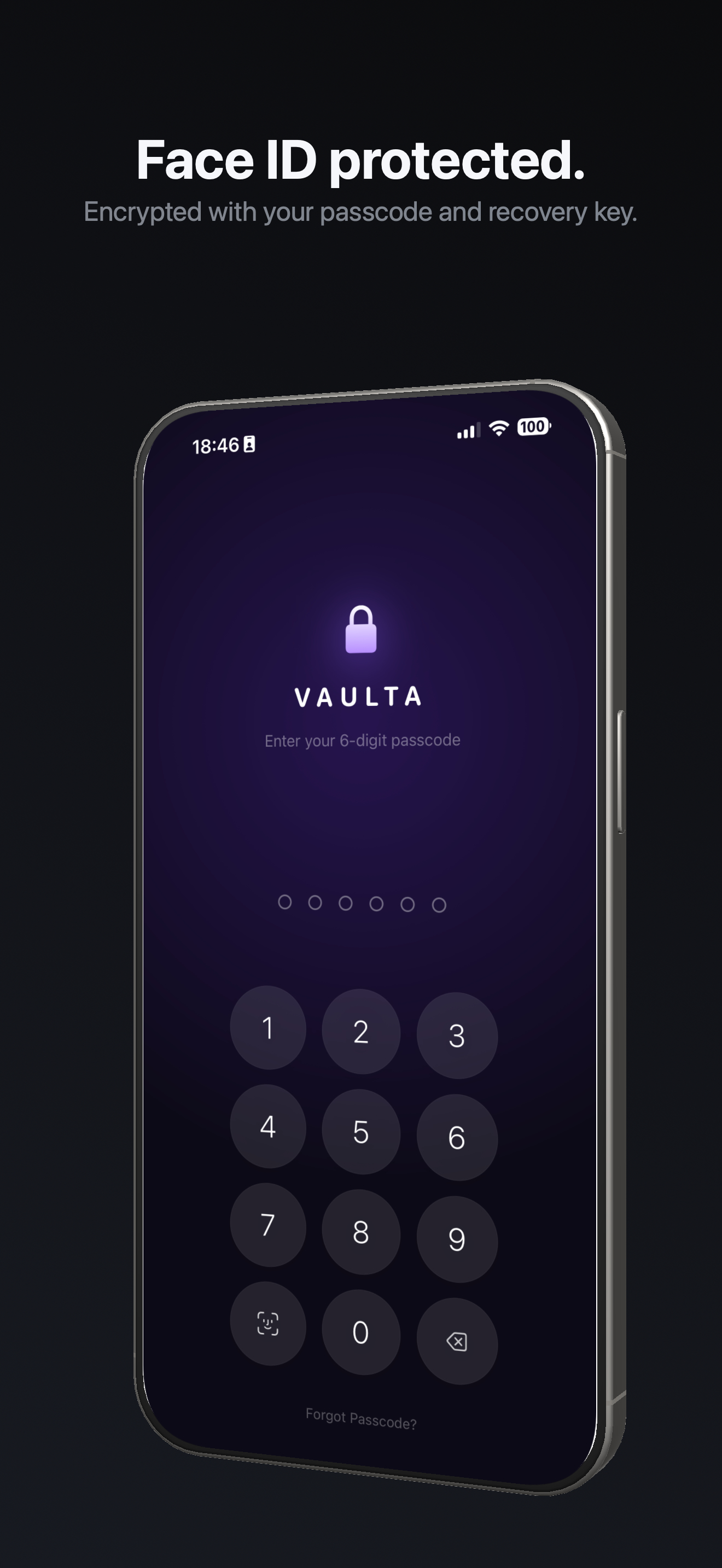
Encrypt and hide any file — photos, videos, documents, and more — behind Face ID, AES-256 encryption, and zero-knowledge security. Your data stays private, even if someone gets your phone.
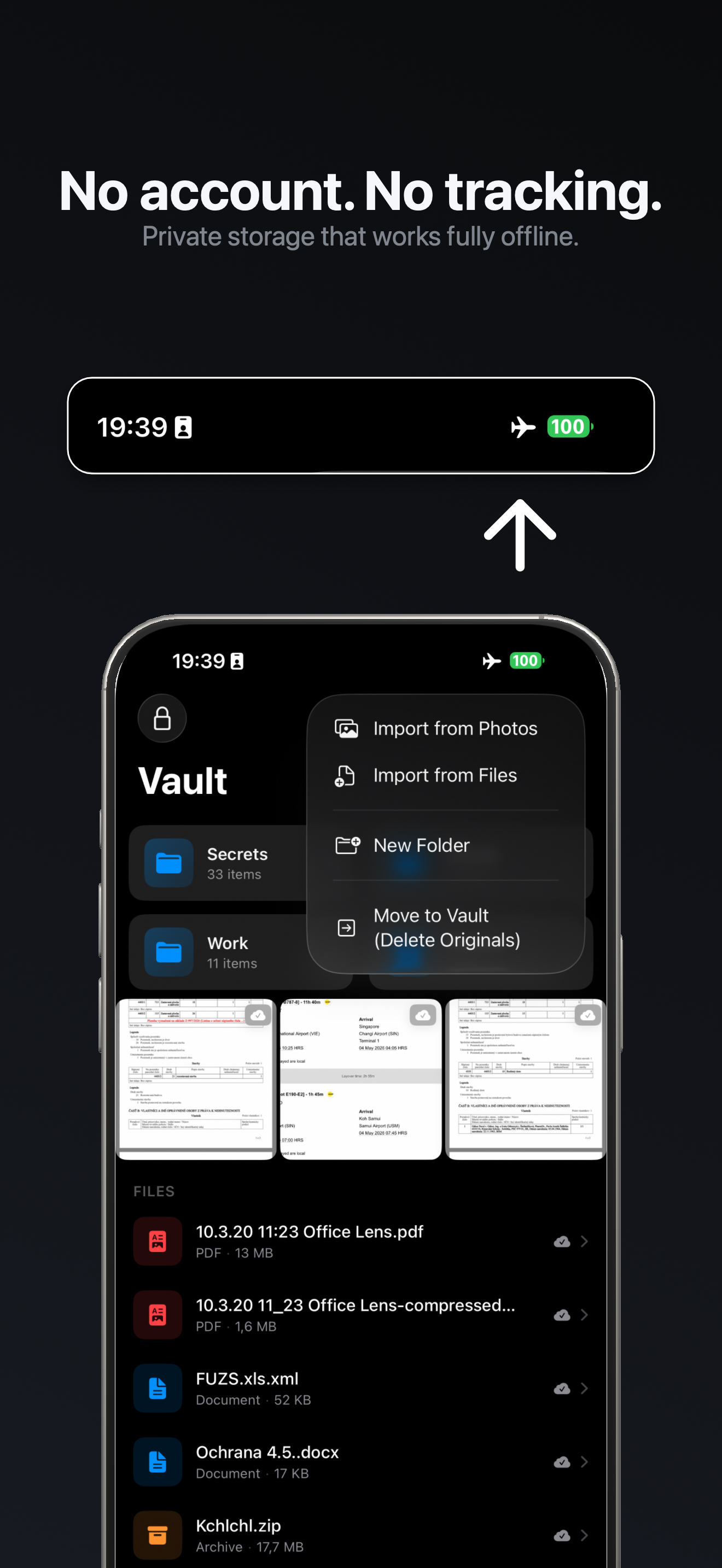
No account required. Offline-first. Only you hold the key.
★★★★★ 5.0 on App Store
Free download · PRO free for 14 days · No account required
See how it works ↓What people are saying
Rated 5 stars on the App Store.
"Finally a vault app I actually trust. The decoy vault alone is worth it."
"Clean design, strong encryption, and fully offline storage make this app feel truly secure. Love the Face ID support and no-tracking approach."
"Switched from another app after seeing what Vaulta offers for free. No regrets."
Built for privacy. Not compromise.
Everything you need to keep your files truly private.
Offline-first
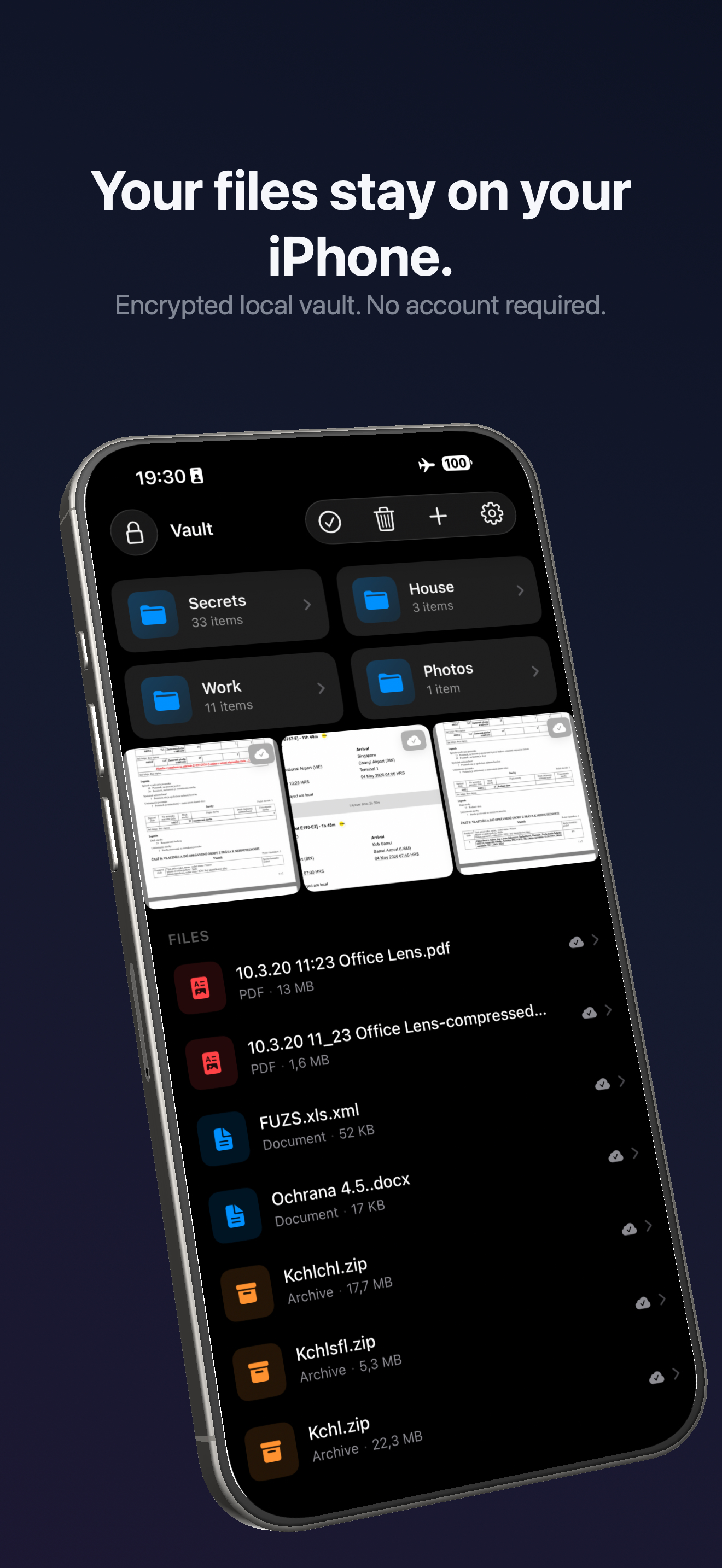
Your files stay on your device instead of someone else's servers.
End-to-end encryption
Even if someone gets your phone, your files remain unreadable.
Decoy vault PRO
Open a separate vault with a different passcode to protect sensitive files under pressure.
iCloud encrypted backup PRO
Back up to your own iCloud — encrypted before it leaves your phone, unreadable without your recovery key.
File & media support
Photos, videos, PDFs, Office files, audio, ZIP archives — any file type, all encrypted.
Break-in alerts PRO
Get alerted after repeated wrong passcode attempts, with photos of the attempt stored only on your device.
Why Use a Secure File Vault?
Your iPhone's built-in protections aren't enough for truly private files.
Apple's Files app has no encryption
Files stored in the iOS Files app are unencrypted. Anyone who unlocks your phone can open them.
Hidden Album isn't encrypted
The Hidden Album removes photos from your main gallery but leaves them unencrypted — accessible from Settings.
Face ID alone isn't encryption
Face ID gates access to your phone, but it doesn't encrypt any files. A bypass defeats all protections at once.
Sensitive files need a second layer
AES-256 encryption in Vaulta means files are unreadable even if your device is unlocked, lost, or forensically examined.
Store Any File Type, Encrypted
Not just photos. Vaulta is a secure vault for every file on your iPhone — the key differentiator vs photo-only apps.
Photos & Videos
Camera roll photos, screen recordings, downloaded videos — any image or video format.
PDFs & Documents
Bank statements, contracts, ID scans, passports — anything sensitive in document form.
Office Files
Word documents, Excel spreadsheets, PowerPoint files — imported directly from the Files app.
Audio Files
Voice memos, interview recordings, private audio — stored and encrypted like any other file.
ZIP Archives
Import and store compressed archives from the Files app. Encrypted as-is, no extraction needed.
Any File Type
If your iPhone's Files app can share it, Vaulta can encrypt it. No format restrictions.
Hide Private Photos & Videos on iPhone
Vaulta goes beyond hiding — it encrypts, so your photos and videos are completely unreadable even if someone accesses your device.
- Encrypted, not just hidden. Unlike the Hidden Album, photos in Vaulta are AES-256 encrypted on-device. No passcode means no photo — not just no gallery view.
- Separate from your camera roll. Imported photos are moved into an isolated, encrypted vault. Nothing leaks into standard photo apps or backups.
- Import from any source. Bring in photos from your camera roll, AirDrop, or directly from the Files app. All imports are encrypted the moment they enter Vaulta.
How it works
Three steps to total privacy.
Import your files
Photos, videos, or documents — import from your camera roll or Files app.
Encrypted instantly
Files are encrypted on-device the moment they enter your vault.
Unlock with your passcode
Only your passcode or Face ID unlocks your vault. Nobody else.
How Vaulta Protects Your Files
Every layer of the security stack, explained.
Encrypted before storage
When you import a file, it's encrypted on-device before anything is written to disk. Plaintext never exists in storage.
AES-GCM 256-bit cipher
The same algorithm used by banks, governments, and secure messaging apps. A 256-bit key has more combinations than atoms in the observable universe.
Keys in the iOS Keychain
Your encryption key is stored in the iOS Keychain — protected by the Secure Enclave. Keys are never transmitted off your device.
Zero-knowledge architecture
Vaulta has no server, no account, and no developer access. We cannot decrypt your vault, reset your passcode, or recover your files.
On-device recovery key
Your recovery key is generated on-device and stored only where you choose to keep it. Without it, encrypted data cannot be restored by anyone.
Vaulta vs Apple's Hidden Album
See exactly what each option protects — and where it falls short.
| Feature | Vaulta | Hidden Album |
|---|---|---|
| Encryption | AES-256 on-device | None |
| Face ID | ✓ Vault-level lock | ✓ View-only gate |
| Decoy Vault | ✓ PRO | ✗ |
| Break-in Alerts | ✓ PRO | ✗ |
| Document Storage | ✓ All file types | ✗ Photos only |
| Encrypted Backup | ✓ PRO | ✗ |
| Offline Access | ✓ Always | ✓ |
Apple's Files app also has no per-file encryption or lock screen — files stored there are accessible to anyone who unlocks your iPhone.
Your data. Your control.
Your data never leaves your control
All files are stored locally on your device. No servers, no cloud sync unless you choose it.
Encrypted before storage. Always.
AES-GCM 256-bit encryption runs on-device before any file touches disk. Plaintext never exists in storage.
Recovery key required for restore
Without your recovery key, nobody — including us — can decrypt your vault. True zero knowledge.
Multiple ways to lock your vault
Face ID, Touch ID, 4-digit PIN, 6-digit PIN, alphanumeric passcode. Plus a separate decoy passcode that opens a different vault.
Why Choose Vaulta Instead of Other Vault Apps?
Vaulta is designed around one principle: your files belong to you alone.
Privacy-first architecture
No analytics SDKs, no account creation, no server. Nothing is transmitted because there's nothing to transmit to.
Offline-first design
Vaulta works without internet. Your encrypted file storage is always accessible, regardless of network conditions.
Not photo-only
Vaulta encrypts any file type — PDFs, Office documents, audio recordings, ZIP archives. A true secure file vault, not just a photo hider.
Decoy vault protection
A second passcode opens a completely separate vault. Your real files stay hidden even if you're under pressure to unlock the app.
Zero-knowledge, by design
The developer cannot see your files, reset your passcode, or hand over your data. There's simply no server to hand data from.
Start free. Go PRO when you're ready.
No credit card required. Upgrade anytime inside the app.
Free
- ✓ AES-256 end-to-end encryption
- ✓ Decoy vault
- ✓ Offline-first storage
- ✓ Photos, videos & documents
- ✓ Face ID & passcode unlock
VAULTA PRO
or $49.99/year Save 30%
- ✓ Everything in Free
- ✓ Encrypted iCloud backup
- ✓ Break-in alerts
- ✓ Priority support
14-day free trial · Cancel anytime
Prices shown in USD. Your local price in the App Store may differ based on your region.
Frequently asked questions
Everything you need to know about Vaulta.
Is Vaulta free?
Yes. Vaulta is free to download and use. VAULTA PRO is an optional upgrade that unlocks encrypted iCloud backup and additional vault options, available as a monthly ($5.99) or yearly ($49.99) subscription.
How does Vaulta encrypt my files?
Vaulta uses AES-GCM with a 256-bit symmetric key. Files are encrypted on your device before being written to storage — plaintext never touches disk. Your encryption key lives in the iOS Keychain and never leaves your device.
Can anyone access my vault?
No. Vaulta is zero knowledge — not even the developer can read your files. Only your passcode or Face ID unlocks the vault. There is no back door, no server-side access, and no master key.
Does Vaulta use iCloud?
iCloud backup is an optional VAULTA PRO feature. If enabled, vault data is encrypted on-device before upload — Apple cannot read your files. Restoring requires your recovery key. You can disable it at any time from within the app.
What happens if I forget my passcode?
You can use your recovery key to regain access. If you lose both your passcode and recovery key, your data cannot be recovered by anyone — including us. Store your recovery key somewhere safe outside the app.
Is Vaulta safe from break-ins?
Yes. Break-in alerts notify you if someone tries to access your vault with the wrong passcode. The decoy vault lets you set a second passcode that opens a separate vault, protecting your real files even under pressure.
Does Vaulta work without internet?
Yes. Vaulta is offline-first. All files live locally on your device and are always accessible without a connection. No account or internet is required to use any core feature.
What file types does Vaulta support?
Vaulta supports any file type your iPhone's Files app can share — photos, videos, PDFs, Word documents, Excel files, audio recordings, ZIP archives, and more. All file types are encrypted regardless of format.
Why not just use Apple's Hidden Album?
Apple's Hidden Album hides photos from the main gallery but does not encrypt them — anyone who unlocks your iPhone can view them from Settings. Vaulta encrypts every file with AES-256 before it touches storage, so a file is unreadable without your passcode and recovery key.
What's the difference between a secure file vault and the iOS Files app?
The iOS Files app has no encryption or lock — files stored there are accessible to anyone who can unlock your phone. Vaulta adds a separate encrypted container with its own passcode, Face ID lock, and AES-256 encryption. No file in Vaulta is readable without your key.
Is Vaulta safer than storing photos and files in iCloud?
Standard iCloud storage is encrypted in transit and at rest, but Apple holds the encryption keys and can access your files. Vaulta's optional iCloud backup encrypts your data on-device before upload — Apple receives only ciphertext and cannot read it. Your recovery key never leaves your device.
What is zero-knowledge encryption?
Zero-knowledge means only you can decrypt your data. Vaulta never transmits your encryption keys, passcode, or file contents to any server. The developer has no master key and cannot assist with recovery — your passcode and recovery key are the only path to your data.
Can Vaulta protect private documents and PDFs, not just photos?
Yes. Vaulta encrypts any file type — PDFs, Word documents, Excel files, audio recordings, ZIP archives, and more. Import from your iPhone's Files app or camera roll. Every file, regardless of format, is encrypted with AES-256 before storage.
What happens if my phone is stolen?
A thief cannot read your vault files. AES-256 encryption protects them even if the device storage is extracted. The decoy vault (PRO) lets you reveal a separate vault under duress while keeping your real files hidden. Break-in alerts (PRO) notify you if repeated wrong passcodes are entered.
Common Questions About Secure File & Photo Vaults
Authoritative answers to help you understand how encrypted vault apps work.
How do vault apps protect your files?
Vault apps protect files through on-device encryption — your files are converted into unreadable ciphertext using a secret key before being written to storage. The key is protected by your passcode and stored in a hardware-secured area of your device (the iOS Keychain, backed by the Secure Enclave). Without the correct key, the encrypted data is computationally impossible to read. Vaulta uses AES-GCM 256-bit encryption, the same standard used in banking and government communications.
Why does on-device encryption matter?
On-device encryption means your files are protected even if the physical device is compromised. Because encryption happens locally and the key never leaves your device, there is no central server that can be hacked, subpoenaed, or breached to expose your files. This is fundamentally different from cloud storage, where the service provider holds the decryption keys. On-device encryption shifts control entirely to you.
What are the risks of cloud-only storage?
With cloud-only storage, your files are protected in transit and at rest, but the service provider holds the encryption keys — meaning they can access your files if required by law or under a security breach. If the cloud service experiences an outage, your files become temporarily inaccessible. Cloud-stored files may also be subject to data retention policies you cannot control. On-device vaults like Vaulta eliminate these risks by keeping encryption keys on your device only.
Local vs cloud storage — which is more private?
Local storage is more private when the encryption keys are yours alone. Storing files locally without encryption is no safer than cloud — someone with physical device access can read them. The combination that maximizes privacy is local on-device storage with strong encryption and keys you control. This is the model Vaulta is built on. Standard cloud storage (iCloud, Google Drive, Dropbox) gives the provider technical ability to access your files because they hold the keys.
What does zero-knowledge mean in practice?
Zero-knowledge means the service provider has no technical ability to read your data. In practice, this requires that encryption and decryption happen exclusively on your device, and that your keys are never shared with any server. For Vaulta, zero-knowledge means: no account is required, no file contents are ever transmitted, and the developer has no master key or backdoor. If you forget your passcode and lose your recovery key, no one — including Vaulta — can recover your data.
Why does a file vault protect more than a photo vault?
A photo-only vault protects images and videos but leaves other sensitive files unprotected. Sensitive data on a phone often includes PDFs, scanned IDs, contracts, financial records, audio memos, and other document types that a photo vault cannot store. A secure file vault like Vaulta encrypts any file type — not just media — giving you a single, consistent encryption layer for everything private on your device. This also prevents sensitive documents from being left exposed in the Files app or email attachments.
Your privacy starts now.
Download VAULTA and take back control.
Free to download · PRO features free for 14 days